Solutions
Business & general services
Pipeline skills restated for internal services, office work and technical support. Every link is labelled; none describes a customer or a deployment.
- Top skills for this industry
- 4
- Components tagged for this industry
- 41
How to read the labels
Source-supported: the original component data lists this industry; a pipeline is source-supported only when every member is. Transferable use: an analogy from the same core pattern; fields, rules or models still need adapting. Neither label describes a customer, a deployment or a result.
01Top skills for this industry
Top skills for this industry
-
01 · S12 · AI Gateway
Transferable useCompare and switch models
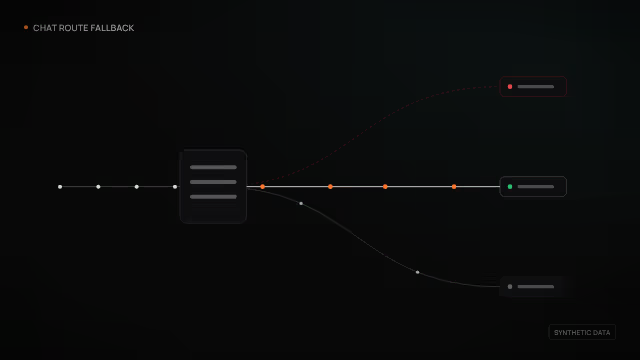
Compare services using the same internal knowledge-assistant samples and change primary and fallback choices after reviewing quality and cost.
Adaptation
Verify compatibility with actual samples and use existing recommendation records without promising automatic optimal-model selection.
- Starts from
- Internal task samples, candidate services and budget
- Delivers
- Acceptance evidence and retain decision
Compare and switch models · Business & general servicesSynthetic data · Industry walkthrough Steps in this industry’s terms · 5 steps
- 01
Check available model services
- Input
- Internal task samples, candidate services and budget
- Output
- Callable services and sample configuration
- AI endpoint management and testingService configuration and connectivity tests + response inspection
- Provider capability diagnosticsCatalog and configuration cross-checks + callability explanations
- 02
Compare shared question samples
- Input
- Callable services and sample configuration
- Output
- Answer quality, error and cost records
- Model comparison and shadow evaluationShared-sample model comparison + quality and cost records
- Task-aware model routing and structured evaluationTask-tier fallback + fixture checks for structured results
- 03
Team reviews switch proposals
Human review- Input
- Answer quality, error and cost records
- Output
- Human-accepted routing draft
Decided byAssigned reviewer or requesting user
- Routing recommendation reviewReview stored recommendations + proposed policy conversion
- 04
Configure team primary and fallback
- Input
- Human-accepted routing draft
- Output
- Team routing and quota rules
- Multi-protocol model routing, fallback and compatibilityRequest protocol normalization + compatible routing and fallback
- Provider routing, key substitution and quotasCapability-based endpoint selection + shared quota control
- 05
Recheck samples after switching
Human review- Input
- Team routing and quota rules
- Output
- Acceptance evidence and retain decision
Decided byAssigned reviewer or requesting user
- Model comparison and shadow evaluationShared-sample model comparison + quality and cost records
- AI endpoint management and testingService configuration and connectivity tests + response inspection
-
02 · S04 · Agent OS
Transferable useInstall and manage tools
When adding team tools, check provenance, licensing and account scope before installation and trial calls.
Adaptation
Select adapters by package format and client and retain failure and revocation paths.
- Starts from
- Team tool list, access needs and license policy
- Delivers
- Acceptance record and rollback procedure
Install and manage tools · Business & general servicesSynthetic data · Industry walkthrough Steps in this industry’s terms · 4 steps
- 01
Check tool provenance and licenses
- Input
- Team tool list, access needs and license policy
- Output
- Signature and license review checklist
- Signed plugin registry and trusted installationSigned extension registry + installation verification and revocation
- Dependency license policy and metadata auditDependency metadata comparison + license rule review
- 02
Owner approves account scopes
Human review- Input
- Signature and license review checklist
- Output
- Approved tool connection scopes
Decided byAssigned reviewer or requesting user
- External connector OAuth, PKCE and encrypted session lifecycleScoped connection consent + credential refresh and revocation
- Governed external tool and search adaptersSchema, permission and budget checks + evidenced tool calls
- 03
Install and register team tools
- Input
- Approved tool connection scopes
- Output
- Effective tool catalog and connection state
- MCP, skill and extension capability runtimeExtension discovery and installation + effective tool catalog
- MCP tool serving, schema dispatch and session transportAuthorized tool catalog serving + structured results
- 04
Accept trials and check rollback
Human review- Input
- Effective tool catalog and connection state
- Output
- Acceptance record and rollback procedure
Decided byAssigned reviewer or requesting user
- Plugin validation and rollback deploymentExtension package and configuration checks + release rollback
- Signed plugin registry and trusted installationSigned extension registry + installation verification and revocation
-
03 · S18 · AI Gateway
Transferable useConnect and check services
Make internal interface integration reviewable: register nodes, prepare clients, test requests and decide whether to accept the connection.
Adaptation
Check node heartbeat, application responses and deployments separately; do not assume streaming consumption or automatic retries in the SDK.
- Starts from
- Internal service endpoints, interface contract and authorization
- Delivers
- Confirmed integration version and release records
Connect and check servicesSynthetic data · Base walkthrough Steps in this industry’s terms · 4 steps
- 01
Register internal service connections
- Input
- Internal service endpoints, interface contract and authorization
- Output
- Registered nodes and health state
- Gateway fleet enrollment and healthService node registration + heartbeats and revocation
- AI endpoint management and testingService configuration and connectivity tests + response inspection
- 02
Prepare team request configuration
- Input
- Registered nodes and health state
- Output
- Client and interface configuration for acceptance
- Synchronous typed gateway Python SDKUnified request interface + typed responses and errors
- Gateway plugins and configuration migrationPolicy extension loading + versioned config validation and rollback
- 03
Send business sample requests
- Input
- Client and interface configuration for acceptance
- Output
- Business responses and typed errors
- AI endpoint management and testingService configuration and connectivity tests + response inspection
- Synchronous typed gateway Python SDKUnified request interface + typed responses and errors
- 04
Owner accepts or rolls back
Human review- Input
- Business responses and typed errors
- Output
- Confirmed integration version and release records
Decided byAssigned reviewer or requesting user
- Gateway plugins and configuration migrationPolicy extension loading + versioned config validation and rollback
- Source workflow and deployment automationAuthorized development operations + deployment resource state
-
04 · S11 · Agent OS
Transferable useTake spoken requests
Capture post-meeting work requests by voice, add permitted calendar context and retain replies after the user confirms understanding.
Adaptation
Connect the actual transcription endpoint and set retention; this workflow does not automatically change calendars or send messages.
- Starts from
- User-initiated recording, permitted calendar context and work request
- Delivers
- Reply history and redacted error records
Take spoken requestsSynthetic data · Base walkthrough Steps in this industry’s terms · 4 steps
- 01
Record post-meeting spoken requests
- Input
- User-initiated recording, permitted calendar context and work request
- Output
- Recording, transcript events and session ID
- Foreground voice recording and submissionUser-initiated recording + completed-clip conversation intake
- Android assistant and creation studioMultimodal intake + conversation and artifact views
- 02
Add relevant calendar context
- Input
- Recording, transcript events and session ID
- Output
- Request draft with permitted context
- Calendar, notification and device contextAuthorized calendar and device state + bounded context
- Contextual streaming assistant with historyInput and retrieval chaining + streamed replies and session history
- 03
User confirms understanding
Human review- Input
- Request draft with permitted context
- Output
- User-confirmed work request
Decided byAssigned reviewer or requesting user
- Android assistant and creation studioMultimodal intake + conversation and artifact views
- Cross-platform desktop agent workspaceProject and conversation navigation + artifact workbench
- 04
Reply and record handling
- Input
- User-confirmed work request
- Output
- Reply history and redacted error records
- Contextual streaming assistant with historyInput and retrieval chaining + streamed replies and session history
- Mobile crash reporting with privacy filteringCrash field redaction + normalized diagnostic records
02Components tagged for this industry
Components tagged for this industry
Grouped by module. Open a module to filter its components by this industry.
- Android assistant and creation studioTransferable use
- Persistent multichannel assistantTransferable use
- Multi-language API example generationTransferable use
- External connector OAuth, PKCE and encrypted session lifecycleTransferable use
- Contextual streaming assistant with historyTransferable use
- Dependency license policy and metadata auditTransferable use
- Cross-platform desktop agent workspaceTransferable use
- Calendar, notification and device contextTransferable use
- AI endpoint management and testingTransferable use
- Provider batch inferenceTransferable use
- Managed cache and queue operationsTransferable use
- Source workflow and deployment automationTransferable use
- Gateway plugins and configuration migrationTransferable use
- Gateway fleet enrollment and healthTransferable use
- Synchronous typed gateway Python SDKTransferable use
- Governed email, chat and SMSTransferable use
- Checkout settlement and loyalty calculationTransferable use
- Customer-specific catalogs, pricing, promotions and creditTransferable use
- Coupons and multicurrency booking pricingTransferable use
- Scoped customer catalog, cart and checkoutTransferable use
- Device eSIM compatibility decision APITransferable use
- eSIM plan catalog and comparisonTransferable use
- Membership and loyalty pointsTransferable use
- Signed agent-to-human checkout handoffTransferable use
Bring the workflow; we map it to pipelines and parts.
Talk to us