S11 · Pipeline skill
Take spoken requests
Record spoken requests with consent, confirm the interpretation and retain replies and handling records.
Consented recording + context enrichment + human confirmation and dialogue
- Pipeline
- 4 steps
- Human review
- 1
- Components
- 6
01Pipeline
Base pipeline
Ordered steps. Each consumes the previous output; review gates hold until a person accepts.
- Starts from
- User-initiated recording and permitted context
- Delivers
- Reply record and redacted error evidence
Review contract
People decide at review gates; components supply data, drafts or review surfaces. Unaccepted outputs do not advance.
Integration note
Connect the recording endpoint to transcription and configure client-specific behavior and retention.
- 01
Capture the request
- Input
- User-initiated recording and permitted context
- Output
- Recording, transcript events and session ID
- Foreground voice recording and submissionUser-initiated recording + completed-clip conversation intake
- Android assistant and creation studioMultimodal intake + conversation and artifact views
- 02
Add relevant context
- Input
- Recording, transcript events and session ID
- Output
- Request draft with authorized context
- Calendar, notification and device contextAuthorized calendar and device state + bounded context
- Contextual streaming assistant with historyInput and retrieval chaining + streamed replies and session history
- 03
Confirm understanding
Human review- Input
- Request draft with authorized context
- Output
- User-confirmed request
Decided byAssigned reviewer or requesting user
- Android assistant and creation studioMultimodal intake + conversation and artifact views
- Cross-platform desktop agent workspaceProject and conversation navigation + artifact workbench
- 04
Respond and record
- Input
- User-confirmed request
- Output
- Reply record and redacted error evidence
- Contextual streaming assistant with historyInput and retrieval chaining + streamed replies and session history
- Mobile crash reporting with privacy filteringCrash field redaction + normalized diagnostic records
02Industry versions
Industry versions
Business & general services Transferable use Capture post-meeting work requests by voice, add permitted calendar context and retain replies after the user confirms understanding.
Adaptation Connect the actual transcription endpoint and set retention; this workflow does not automatically change calendars or send messages.
- 01
Record post-meeting spoken requests
- Input
- User-initiated recording, permitted calendar context and work request
- Output
- Recording, transcript events and session ID
- Foreground voice recording and submissionUser-initiated recording + completed-clip conversation intake
- Android assistant and creation studioMultimodal intake + conversation and artifact views
- 02
Add relevant calendar context
- Input
- Recording, transcript events and session ID
- Output
- Request draft with permitted context
- Calendar, notification and device contextAuthorized calendar and device state + bounded context
- Contextual streaming assistant with historyInput and retrieval chaining + streamed replies and session history
- 03
User confirms understanding
Human review- Input
- Request draft with permitted context
- Output
- User-confirmed work request
Decided byAssigned reviewer or requesting user
- Android assistant and creation studioMultimodal intake + conversation and artifact views
- Cross-platform desktop agent workspaceProject and conversation navigation + artifact workbench
- 04
Reply and record handling
- Input
- User-confirmed work request
- Output
- Reply history and redacted error records
- Contextual streaming assistant with historyInput and retrieval chaining + streamed replies and session history
- Mobile crash reporting with privacy filteringCrash field redaction + normalized diagnostic records
03Parameters
Parameters
From the pack’s params.schema.json. Choose values to build a synthetic request.
skills/_pipelines/voice-work-assistant/params.schema.json
{
  "synthetic": true,
  "run_id": "synthetic-example",
  "locale": "en",
  "industry": "base",
  "adapter_mode": "local",
  "records": [
    {
      "id": "synthetic-record-1",
      "synthetic": true,
      "text": "Synthetic observation A: a draft needs review."
    },
    {
      "id": "synthetic-record-2",
      "synthetic": true,
      "text": "Synthetic observation B: retain the unresolved question."
    }
  ],
  "decisions": {}
} 04Member components
Member components
-
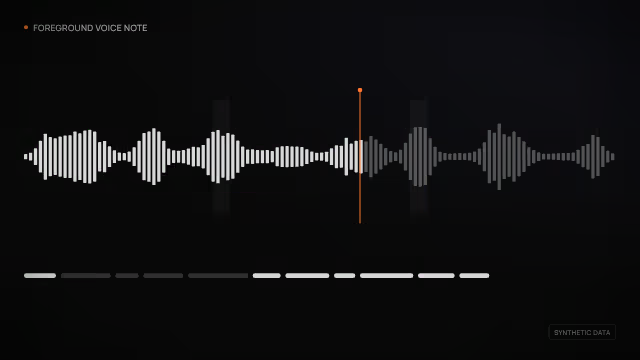
Foreground voice recording and submission
User-initiated recording + completed-clip conversation intake
Working 1 pipeline -

Android assistant and creation studio
Multimodal intake + conversation and artifact views
Working 1 pipeline -

Calendar, notification and device context
Authorized calendar and device state + bounded context
Working 1 pipeline -

Contextual streaming assistant with history
Input and retrieval chaining + streamed replies and session history
Working 2 pipelines -

Cross-platform desktop agent workspace
Project and conversation navigation + artifact workbench
Working 2 pipelines -
Mobile crash reporting with privacy filtering
Crash field redaction + normalized diagnostic records
Working 1 pipeline
05Skills pack
Skills pack
Runnable reference on synthetic fixtures with tests. Domain contracts, services and approvals still need integration.
voice-work-assistant-1.0.0.zip
Contains SKILL.md, pipeline.json, params.schema.json, runner, tests, fixtures, integration checklist and sources.
Synthetic workflow reference; service integration pending
Download · 17KBSHA-256 7e61a439082f73b1dfcef6082c01c6a14e53b2d54275608451f1c3e6e3ebf7e5